Insights
Oct 1, 2025
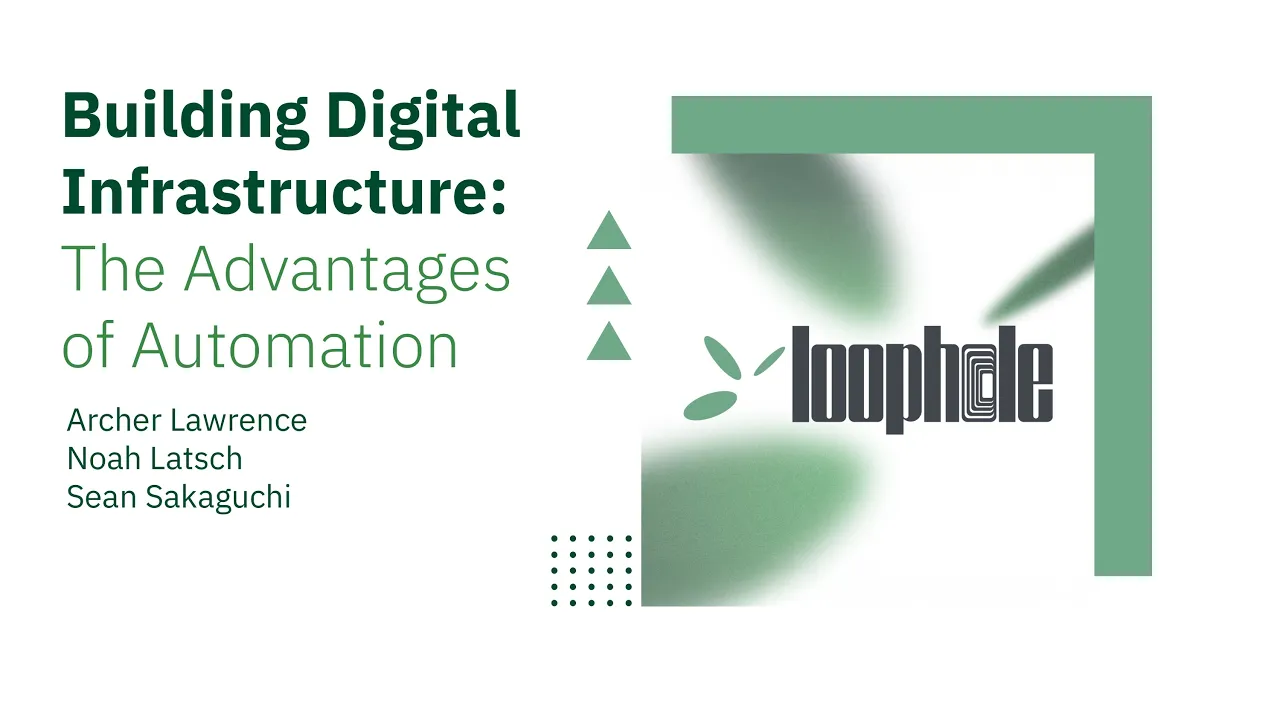
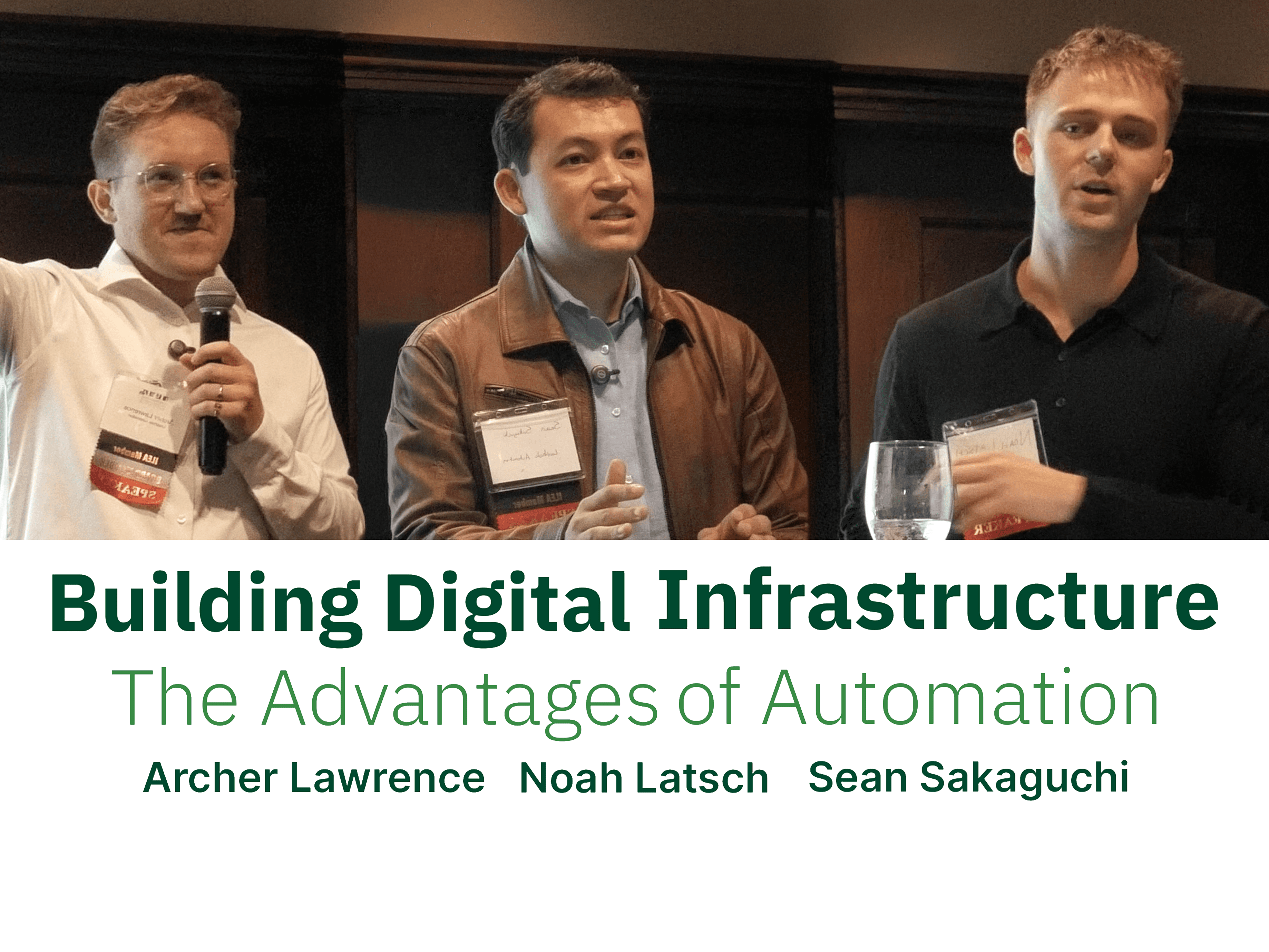
Building Digital Infrastructure - ILEA Seattle Workshop
Building Digital Infrastructure - ILEA Seattle Workshop
A recap of ILEA Seattle’s hands-on workshop showing how event professionals can use practical automation to reclaim time, reduce peak-season chaos, and build durable workflows.
A recap of ILEA Seattle’s hands-on workshop showing how event professionals can use practical automation to reclaim time, reduce peak-season chaos, and build durable workflows.
Introduction
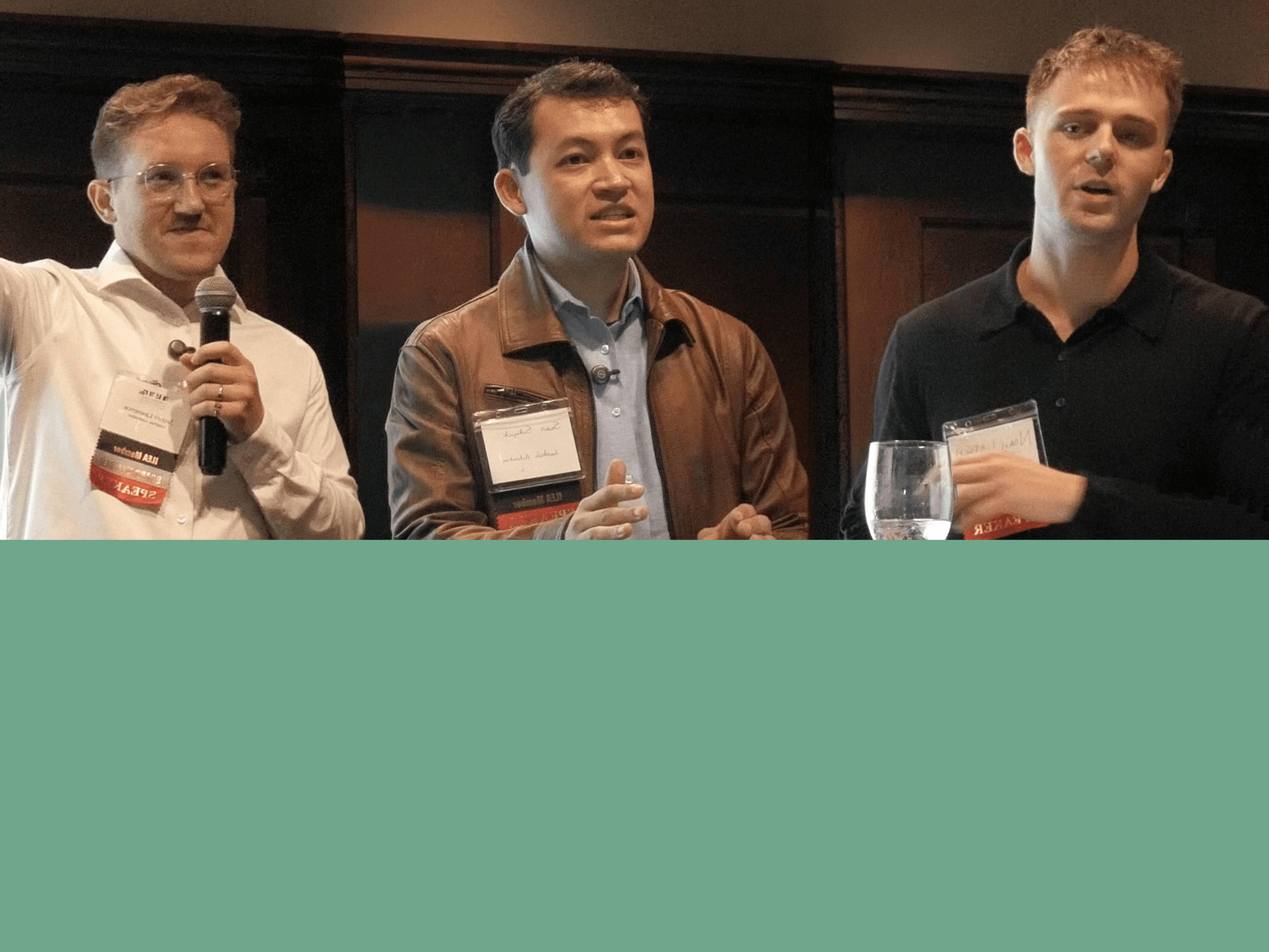
In September 2025, Loophole Automation had the opportunity to present this educational workshop for The International Live Events Association (ILEA). Later going on to win Best Industry Innovation at the Emerald City Applause Awards, this session focused on how automation can reduce day to day stress for event professionals. We are grateful for the invitation and for the engaged, thoughtful audience that made the session what it was.
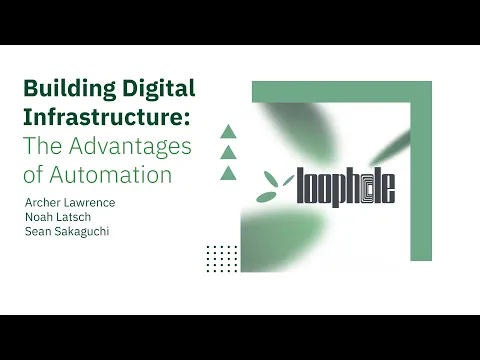
Building Digital Infrastructure is practical, real-world workshop for business owners and operators who feel buried in manual work, disconnected tools, and operational drag. This workshop moves from diagnosing operational bottlenecks to clarifying what automation actually is and is not, then applying the Standardize → Connect → Automate framework to build durable digital infrastructure. The session concludes with a real-world automation demo, bonus resources, and a live Q&A.
Link to Full Workshop (Youtube)

The Standardize, Connect, Automate Framework
The session centered on a simple, durable sequence you can apply to any workflow:
Standardize. Make your process consistent. Identify the steps you repeat and write them down (or diagram them). Templates and checklists aren’t “boring”; they’re the foundation that reduces midnight mistakes.
Connect. Link the tools you already use so they pass information without copy‑paste. Your CRM, calendar, email, Slack, and spreadsheets should talk to one another.
Automate. Only after standardizing and connecting should you let software do the pushing and pulling (e.g., sending confirmations, creating tasks, updating sheets). Automating a broken process just breaks things faster.
The teaching example: “Sweet Dreams Hotel” (aka your business)
To make it real, the team introduced a fictional venue, Sweet Dreams Hotel, and its sales director, Lucy. Her pain points mirrored the room:
Chasing payments
Drafting proposals from scratch
Lead qualification and response (the biggest bottleneck)
Using worksheets, attendees mapped their own workflows step‑by‑step, the same way they’d explain it to a brand‑new intern. That surfaced hidden micro‑steps, handoffs, and where details get lost.
Bottleneck lesson: If 30 inquiries arrive each week but you can fully handle only 10, the system’s output is capped at 10. Fixing upstream qualification and response speed unlocks everything downstream (proposals, contracts, payments).
Live Demo: Automated Lead Management
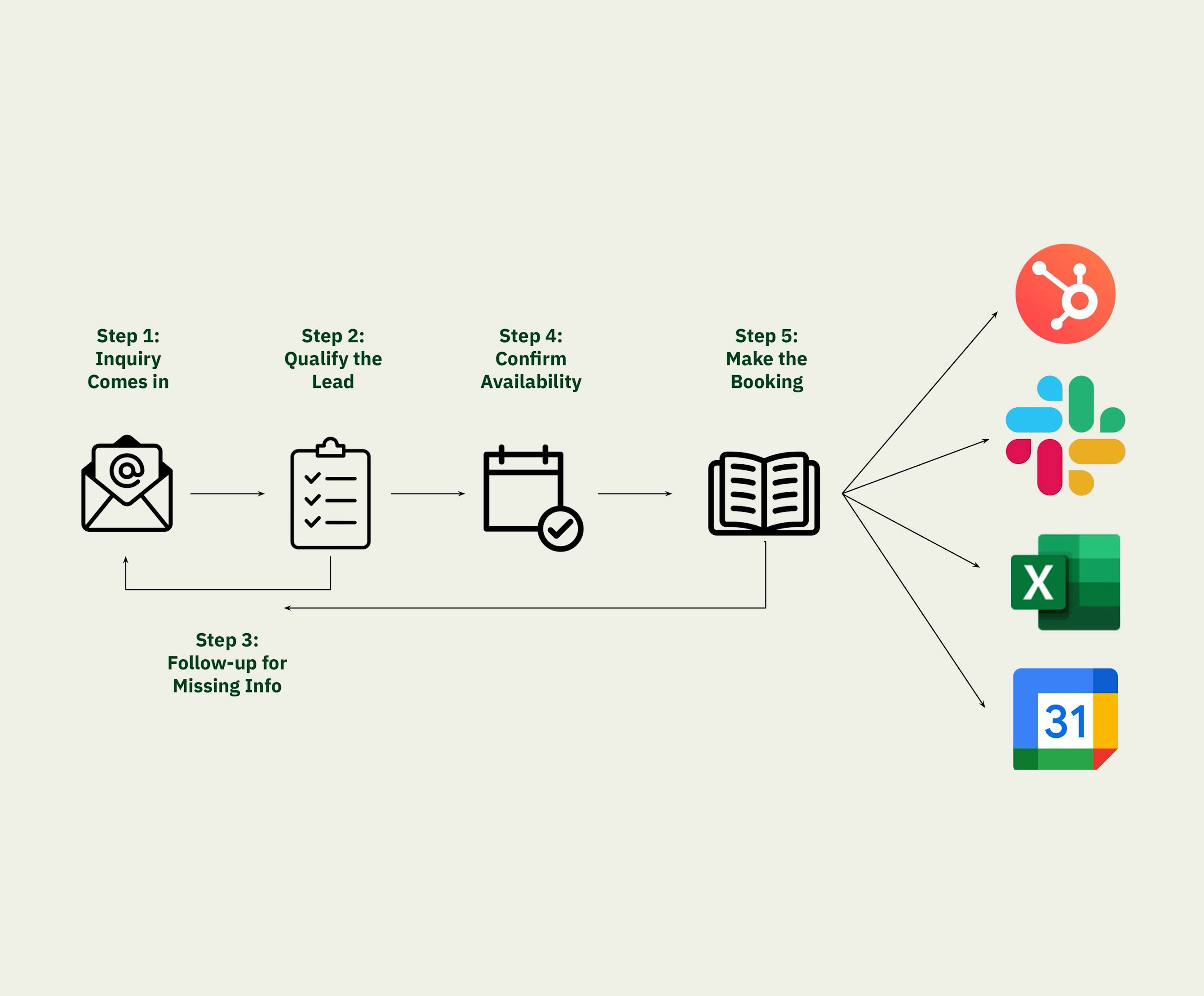
Noah rebuilt the Sweet Dreams lead flow in a visual, no‑code platform (think Make/Zapier style). Highlights:
An inquiry email is received in a dedicated inbox (e.g., info@…).
A narrow, well‑scoped parser extracts only what matters (name, date, guest count, budget, room request).
The flow creates a deal in the CRM, pings the coordinator in Slack, logs the lead in a Google Sheet, and adds a hold on Google Calendar.
For incomplete inquiries, the system politely emails back with the specific missing items (e.g., “guest count” and “budget”) and offers alternate rooms when a requested space is unavailable.
Human‑in‑the‑loop options keep drafts for review; natural delays can be added so replies feel high‑touch, not robotic.
Takeaway: Modern no‑code tools let non‑developers build reliable glue between the platforms you already pay for.
Automation ≠ AI (but AI can help)
You can get big wins without AI at all (templates, calendar holds, status updates).
When you do use AI, give it a tiny, clearly bounded job — like extracting key fields from a long email, or summarizing call notes into your house timeline format. Treat it like a junior assistant, not a senior planner.
Audience Q&A — what the room asked
“How do I pitch this inside a big company?” Bring a standardized workflow and a concrete mini‑pilot instead of a vague idea. Training budgets are often easier to approve than platform overhauls.
“Will clients know a bot replied?” You can be transparent (recommended) and clearly mark when a human takes over. Keep your brand voice and signature blocks consistent.
“Can it parse every email?” Best practice: route inquiries to a dedicated mailbox and process only that stream.
“Can it transcribe sales calls?” Yes — call recordings can be transcribed and summarized to auto‑generate timelines, tasks, and follow‑ups.
“What about IT/security and brand compliance?” Work with IT to manage credentials and data access; email language, formatting, and signatures are fully customizable.
Resources shared at the event
Printable workflow‑mapping worksheet (plus a QR pack of links).
A guided chat “copilot” that walks you through scoping your first automation.
A comparison sheet of no‑code platforms (Make, Zapier, Microsoft Power Automate, etc.).
Complimentary 30‑minute consult for attendees.
Free registration to Loophole’s virtual AI training workshop.
Thank you to our sponsors and ILEA Seattle for fueling the conversation and to everyone who showed up ready to share pain points candidly.
~Written in Collaboration with Rebecca Schroeder, ILEA Seattle Director of Communications
Latest Blogs

Insights
Oct 1, 2025
Building Digital Infrastructure - ILEA Seattle Workshop
Building Digital Infrastructure - ILEA Seattle Workshop
A recap of ILEA Seattle’s hands-on workshop showing how event professionals can use practical automation to reclaim time, reduce peak-season chaos, and build durable workflows.
A recap of ILEA Seattle’s hands-on workshop showing how event professionals can use practical automation to reclaim time, reduce peak-season chaos, and build durable workflows.
Introduction
In September 2025, Loophole Automation had the opportunity to present this educational workshop for The International Live Events Association (ILEA). Later going on to win Best Industry Innovation at the Emerald City Applause Awards, this session focused on how automation can reduce day to day stress for event professionals. We are grateful for the invitation and for the engaged, thoughtful audience that made the session what it was.
Building Digital Infrastructure is practical, real-world workshop for business owners and operators who feel buried in manual work, disconnected tools, and operational drag. This workshop moves from diagnosing operational bottlenecks to clarifying what automation actually is and is not, then applying the Standardize → Connect → Automate framework to build durable digital infrastructure. The session concludes with a real-world automation demo, bonus resources, and a live Q&A.
Link to Full Workshop (Youtube)
The Standardize, Connect, Automate Framework
The session centered on a simple, durable sequence you can apply to any workflow:
Standardize. Make your process consistent. Identify the steps you repeat and write them down (or diagram them). Templates and checklists aren’t “boring”; they’re the foundation that reduces midnight mistakes.
Connect. Link the tools you already use so they pass information without copy‑paste. Your CRM, calendar, email, Slack, and spreadsheets should talk to one another.
Automate. Only after standardizing and connecting should you let software do the pushing and pulling (e.g., sending confirmations, creating tasks, updating sheets). Automating a broken process just breaks things faster.
The teaching example: “Sweet Dreams Hotel” (aka your business)
To make it real, the team introduced a fictional venue, Sweet Dreams Hotel, and its sales director, Lucy. Her pain points mirrored the room:
Chasing payments
Drafting proposals from scratch
Lead qualification and response (the biggest bottleneck)
Using worksheets, attendees mapped their own workflows step‑by‑step, the same way they’d explain it to a brand‑new intern. That surfaced hidden micro‑steps, handoffs, and where details get lost.
Bottleneck lesson: If 30 inquiries arrive each week but you can fully handle only 10, the system’s output is capped at 10. Fixing upstream qualification and response speed unlocks everything downstream (proposals, contracts, payments).
Live Demo: Automated Lead Management
Noah rebuilt the Sweet Dreams lead flow in a visual, no‑code platform (think Make/Zapier style). Highlights:
An inquiry email is received in a dedicated inbox (e.g., info@…).
A narrow, well‑scoped parser extracts only what matters (name, date, guest count, budget, room request).
The flow creates a deal in the CRM, pings the coordinator in Slack, logs the lead in a Google Sheet, and adds a hold on Google Calendar.
For incomplete inquiries, the system politely emails back with the specific missing items (e.g., “guest count” and “budget”) and offers alternate rooms when a requested space is unavailable.
Human‑in‑the‑loop options keep drafts for review; natural delays can be added so replies feel high‑touch, not robotic.
Takeaway: Modern no‑code tools let non‑developers build reliable glue between the platforms you already pay for.
Automation ≠ AI (but AI can help)
You can get big wins without AI at all (templates, calendar holds, status updates).
When you do use AI, give it a tiny, clearly bounded job — like extracting key fields from a long email, or summarizing call notes into your house timeline format. Treat it like a junior assistant, not a senior planner.
Audience Q&A — what the room asked
“How do I pitch this inside a big company?” Bring a standardized workflow and a concrete mini‑pilot instead of a vague idea. Training budgets are often easier to approve than platform overhauls.
“Will clients know a bot replied?” You can be transparent (recommended) and clearly mark when a human takes over. Keep your brand voice and signature blocks consistent.
“Can it parse every email?” Best practice: route inquiries to a dedicated mailbox and process only that stream.
“Can it transcribe sales calls?” Yes — call recordings can be transcribed and summarized to auto‑generate timelines, tasks, and follow‑ups.
“What about IT/security and brand compliance?” Work with IT to manage credentials and data access; email language, formatting, and signatures are fully customizable.
Resources shared at the event
Printable workflow‑mapping worksheet (plus a QR pack of links).
A guided chat “copilot” that walks you through scoping your first automation.
A comparison sheet of no‑code platforms (Make, Zapier, Microsoft Power Automate, etc.).
Complimentary 30‑minute consult for attendees.
Free registration to Loophole’s virtual AI training workshop.
Thank you to our sponsors and ILEA Seattle for fueling the conversation and to everyone who showed up ready to share pain points candidly.
~Written in Collaboration with Rebecca Schroeder, ILEA Seattle Director of Communications
Latest Blogs
Insights
Oct 1, 2025
Building Digital Infrastructure - ILEA Seattle Workshop
Building Digital Infrastructure - ILEA Seattle Workshop
A recap of ILEA Seattle’s hands-on workshop showing how event professionals can use practical automation to reclaim time, reduce peak-season chaos, and build durable workflows.
A recap of ILEA Seattle’s hands-on workshop showing how event professionals can use practical automation to reclaim time, reduce peak-season chaos, and build durable workflows.
Introduction
In September 2025, Loophole Automation had the opportunity to present this educational workshop for The International Live Events Association (ILEA). Later going on to win Best Industry Innovation at the Emerald City Applause Awards, this session focused on how automation can reduce day to day stress for event professionals. We are grateful for the invitation and for the engaged, thoughtful audience that made the session what it was.
Building Digital Infrastructure is practical, real-world workshop for business owners and operators who feel buried in manual work, disconnected tools, and operational drag. This workshop moves from diagnosing operational bottlenecks to clarifying what automation actually is and is not, then applying the Standardize → Connect → Automate framework to build durable digital infrastructure. The session concludes with a real-world automation demo, bonus resources, and a live Q&A.
Link to Full Workshop (Youtube)
The Standardize, Connect, Automate Framework
The session centered on a simple, durable sequence you can apply to any workflow:
Standardize. Make your process consistent. Identify the steps you repeat and write them down (or diagram them). Templates and checklists aren’t “boring”; they’re the foundation that reduces midnight mistakes.
Connect. Link the tools you already use so they pass information without copy‑paste. Your CRM, calendar, email, Slack, and spreadsheets should talk to one another.
Automate. Only after standardizing and connecting should you let software do the pushing and pulling (e.g., sending confirmations, creating tasks, updating sheets). Automating a broken process just breaks things faster.
The teaching example: “Sweet Dreams Hotel” (aka your business)
To make it real, the team introduced a fictional venue, Sweet Dreams Hotel, and its sales director, Lucy. Her pain points mirrored the room:
Chasing payments
Drafting proposals from scratch
Lead qualification and response (the biggest bottleneck)
Using worksheets, attendees mapped their own workflows step‑by‑step, the same way they’d explain it to a brand‑new intern. That surfaced hidden micro‑steps, handoffs, and where details get lost.
Bottleneck lesson: If 30 inquiries arrive each week but you can fully handle only 10, the system’s output is capped at 10. Fixing upstream qualification and response speed unlocks everything downstream (proposals, contracts, payments).
Live Demo: Automated Lead Management
Noah rebuilt the Sweet Dreams lead flow in a visual, no‑code platform (think Make/Zapier style). Highlights:
An inquiry email is received in a dedicated inbox (e.g., info@…).
A narrow, well‑scoped parser extracts only what matters (name, date, guest count, budget, room request).
The flow creates a deal in the CRM, pings the coordinator in Slack, logs the lead in a Google Sheet, and adds a hold on Google Calendar.
For incomplete inquiries, the system politely emails back with the specific missing items (e.g., “guest count” and “budget”) and offers alternate rooms when a requested space is unavailable.
Human‑in‑the‑loop options keep drafts for review; natural delays can be added so replies feel high‑touch, not robotic.
Takeaway: Modern no‑code tools let non‑developers build reliable glue between the platforms you already pay for.
Automation ≠ AI (but AI can help)
You can get big wins without AI at all (templates, calendar holds, status updates).
When you do use AI, give it a tiny, clearly bounded job — like extracting key fields from a long email, or summarizing call notes into your house timeline format. Treat it like a junior assistant, not a senior planner.
Audience Q&A — what the room asked
“How do I pitch this inside a big company?” Bring a standardized workflow and a concrete mini‑pilot instead of a vague idea. Training budgets are often easier to approve than platform overhauls.
“Will clients know a bot replied?” You can be transparent (recommended) and clearly mark when a human takes over. Keep your brand voice and signature blocks consistent.
“Can it parse every email?” Best practice: route inquiries to a dedicated mailbox and process only that stream.
“Can it transcribe sales calls?” Yes — call recordings can be transcribed and summarized to auto‑generate timelines, tasks, and follow‑ups.
“What about IT/security and brand compliance?” Work with IT to manage credentials and data access; email language, formatting, and signatures are fully customizable.
Resources shared at the event
Printable workflow‑mapping worksheet (plus a QR pack of links).
A guided chat “copilot” that walks you through scoping your first automation.
A comparison sheet of no‑code platforms (Make, Zapier, Microsoft Power Automate, etc.).
Complimentary 30‑minute consult for attendees.
Free registration to Loophole’s virtual AI training workshop.